
Start with an idea. Draft your next post. Make it yours.

Plan posts, refine drafts, and design carousels in one workspace.

Create
From single idea to visual story.
Turn concepts into designed, swipeable carousels. Customize copy, typography, color palettes, and layouts slide by slide.
Explore create
Plan
Organize your publishing calendar.
Set your posting schedule, map out upcoming topics, and generate structured weekly plans for each connected account.
Explore plan
Write
First drafts grounded in your voice.
Provide your target audience, tone, and brand details to generate tailored first drafts you can refine and polish.
Explore write
Publish
Direct scheduling and publishing.
Review captions and visuals, pick a publish date and time, and push approved posts directly to your connected channels.
Explore publishAUDIENCE SIGNALS
See what worked
before your next post.
Analyze historical posts, audience engagement, and platform trends. Turn real performance data into clear direction for future content.
Explore account insights
WEEKLY PLANNING
Map out your content schedule.
Interactive calendar views let you organize themes, schedule posting days, and keep drafts ready for review.
October 12 – 18
Example weekThree small steps behind the work
Start with the part you know. Give every slide one clear idea. End with a question worth answering.
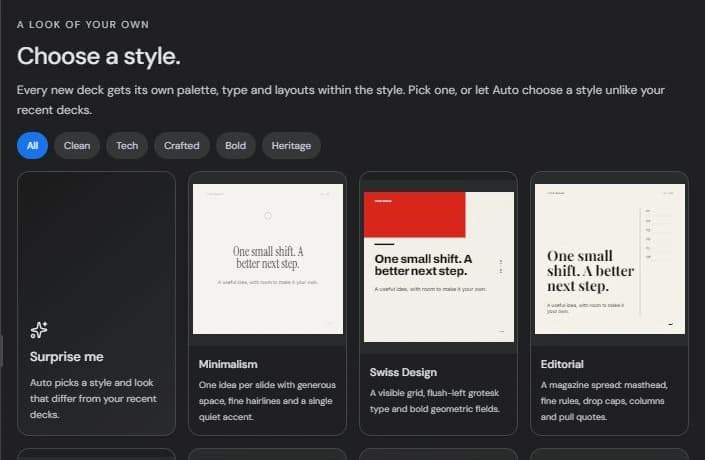
CAROUSEL STUDIO
Slide layouts and typography
built for the feed.
Pick a visual theme, generate slide copy with AI, and customize layouts, fonts, and colors directly in Studio. Export high-resolution slides ready for feed posting.
Full control over slide order, text formatting, and styling.
WHO IT’S FOR
Built for creators
and modern teams.
For creators
Transform quick insights into multi-slide carousels and consistent posting schedules.
Explore creator workflowsFor small businesses
Highlight product launches, customer testimonials, and brand updates without hours of manual formatting.
Explore business workflowsFor personal brands
Clarify your perspective and establish authority on Threads, Instagram, and Facebook.
Explore personal brand workflowsSUPPORT & RESOURCES
Guides, updates,
and documentation.
Browse detailed step-by-step guides, discover recent platform updates, or reach out to our team directly.

Learn, explore, and stay updated.
Frequently asked questions
Clear answers to common questions about features and plans.
Browse the FAQsFREQUENTLY ASKED QUESTIONS
Everything you need
to know.
What does Seumai help me do?
Seumai is a social content workspace that combines intelligent drafting, visual carousel design, calendar planning, and multi-channel publishing. It helps you stay consistent across Threads, Instagram, and Facebook while maintaining complete creative control.
Do I need Pro to generate an AI plan?
You can use the content calendar and create manual drafts on the free tier. Automated multi-week plan generation from a campaign brief is included with Seumai Pro.
Which social platforms can I connect?
Seumai integrates with Threads, Instagram, and Facebook Pages. You can publish text posts and visual carousels to Threads, image carousels to Instagram, and multi-image posts to Facebook Pages.
Will a post publish before I approve it?
Never. Posts are only scheduled or published when you explicitly approve them. You have full editorial control to review copy, slide artwork, and timing before anything goes live.